A visual builder that sends each new lead to the right place, with no code.
Workflows send every lead where it should go 2025
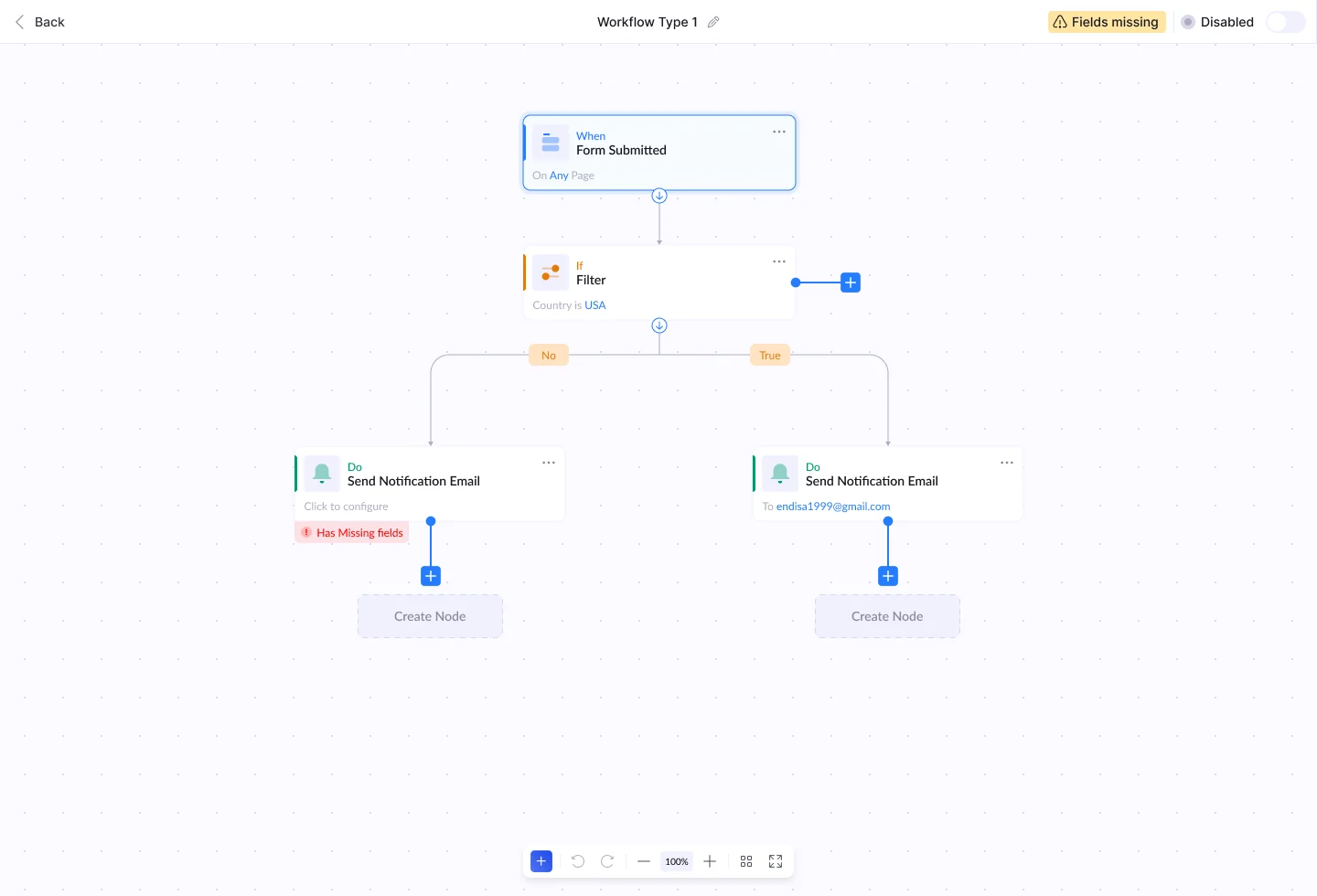
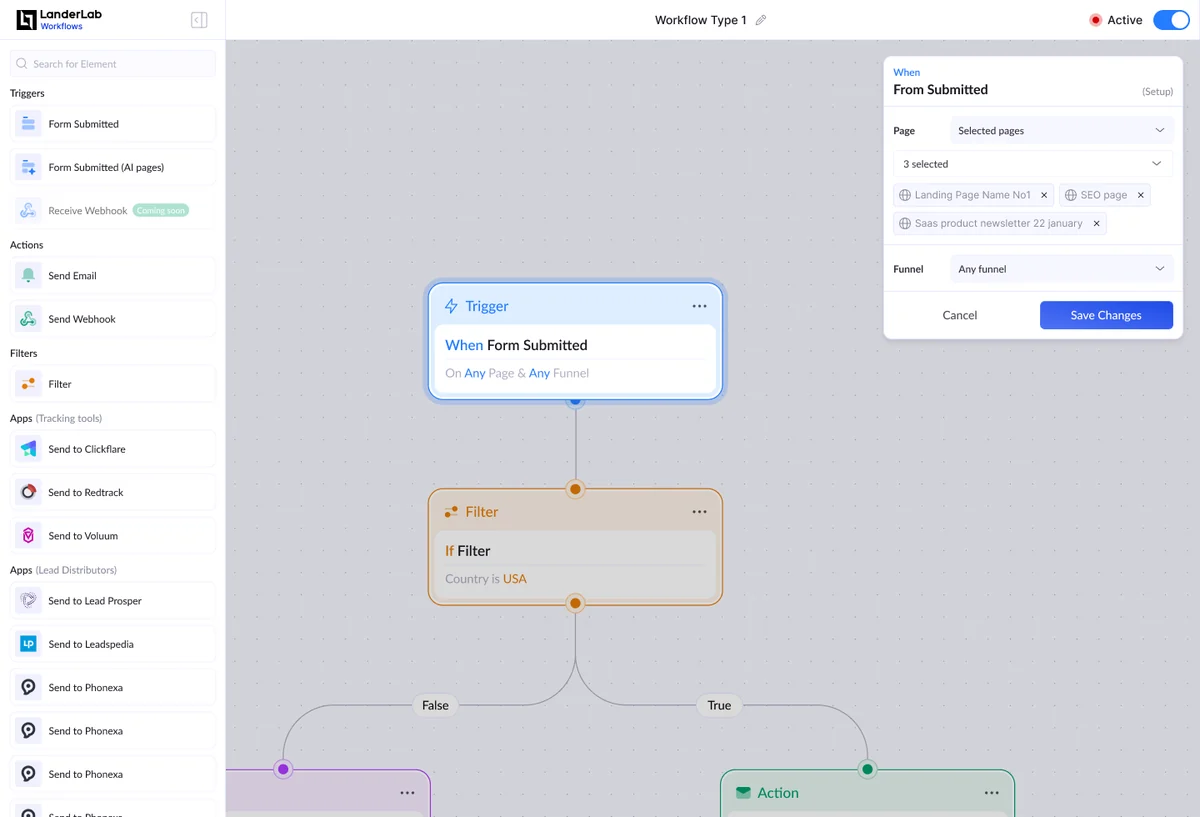
When someone fills in a form on a LanderLab page, a workflow decides what happens next. You start from a trigger, add filters that split into True and False, then actions: send an email, call a webhook, or pass the lead to a tracker like ClickFlare or a lead buyer like Leadspedia.
- Discipline
- Product design · Flows
- Year
- 2025
- Part of
- Product design
- Tags
- SaaS, Automation, Node editor
How it works
Read top to bottom. Every workflow starts with one trigger, like "Form submitted", and runs down the page. A filter splits it into True and False, so you can see each path at a glance.
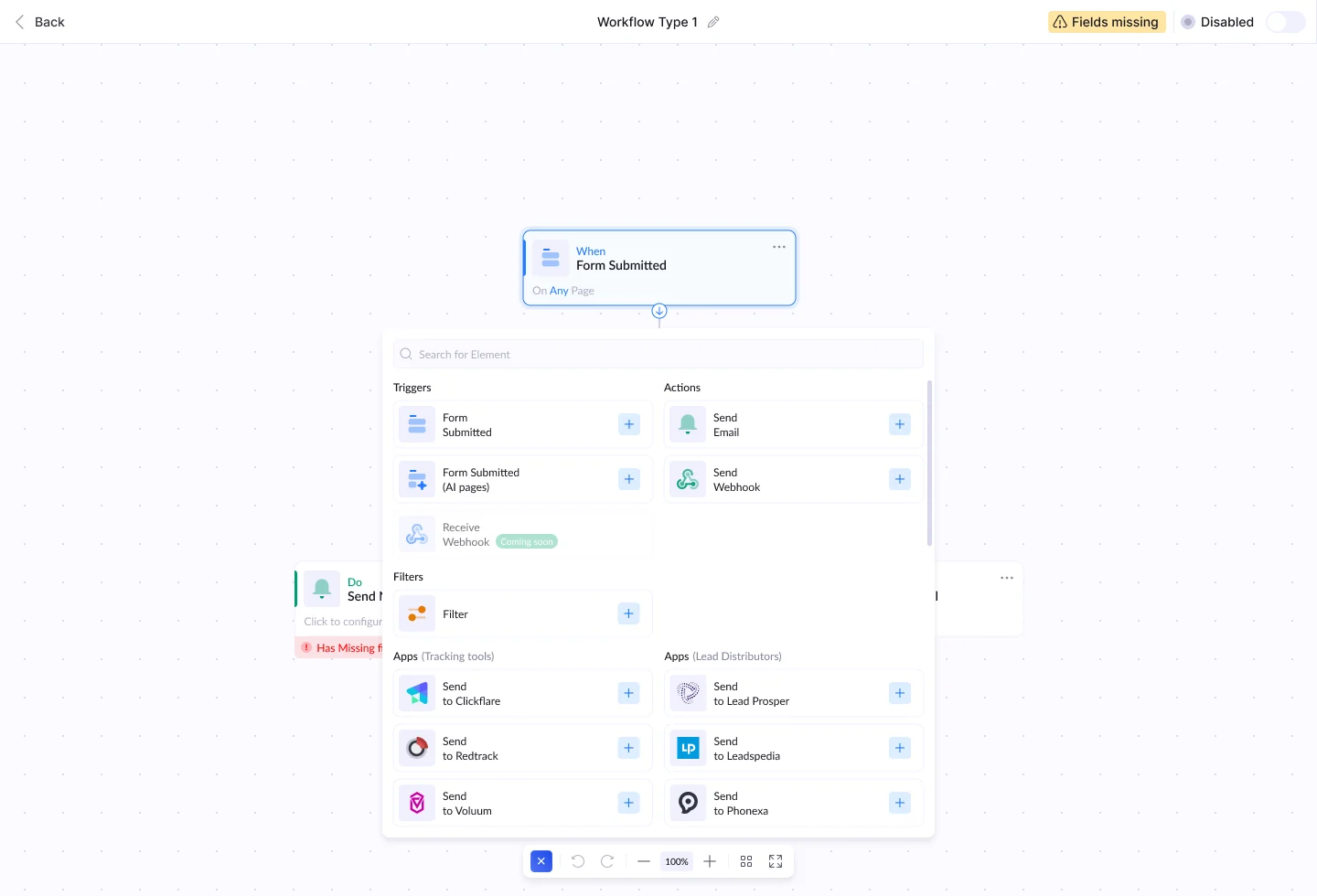
One menu for every step. Triggers, actions, filters and apps sit in one searchable list. Press + under any step to add the next one.
Small details
Missing fields are loud. A step that is not set up gets a red "Has missing fields" tag, and the workflow stays off until it is fixed.
Apps by job. Apps are grouped by what they do, tracking tools or lead buyers, so the right one is quick to find.