
A Yu-Gi-Oh! card binder that folds open in CSS
Endi Saliaj 6 min read
How I built a black zip case with 72 cards in clear sleeves. The pages turn in 3D and every card opens in a holographic close-up. No canvas, only HTML and CSS.
What it is
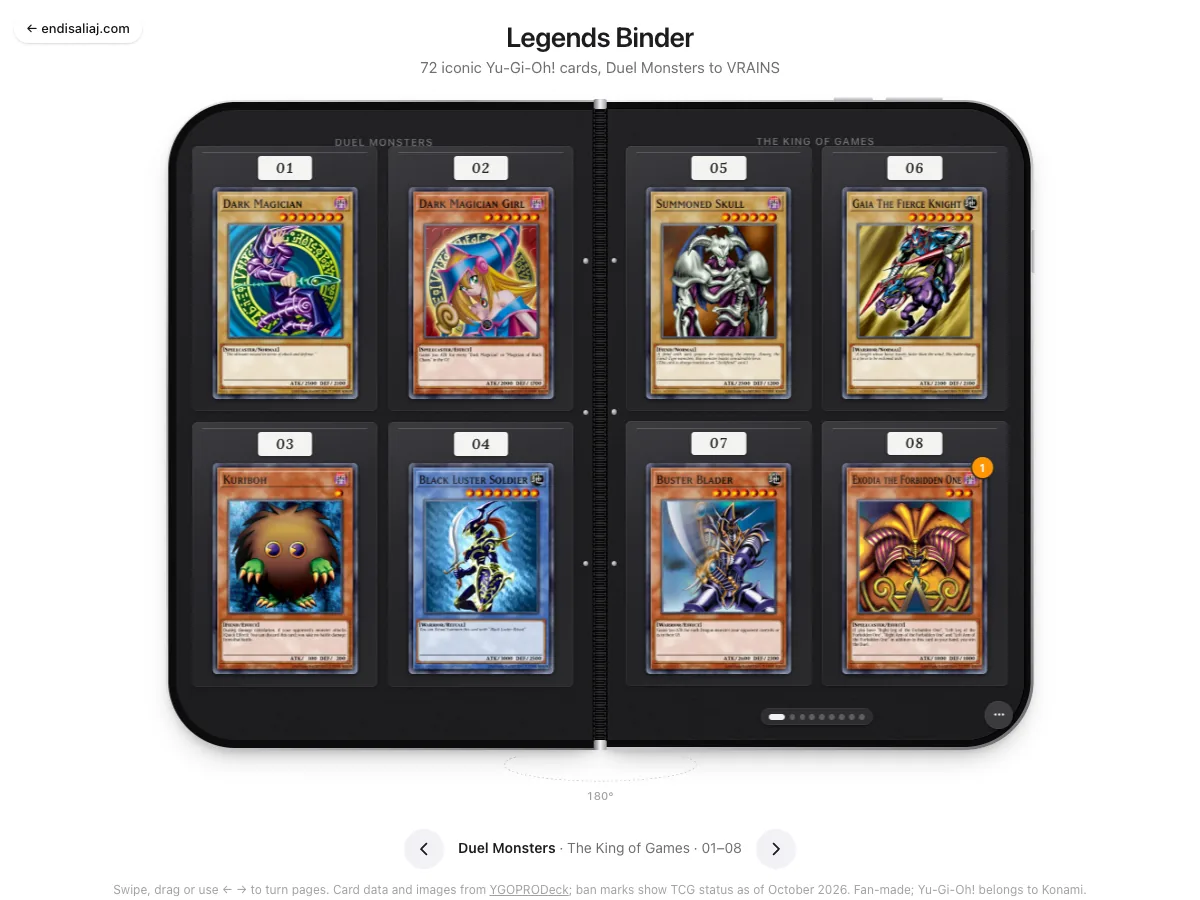
A black zip case, closed. Tap it, or wait one second, and it unfolds. Inside are nine spreads of cards, eight cards per spread in clear 2 by 2 sleeves. 72 cards in total, from Duel Monsters to VRAINS, in nine series: the cards of Yugi, Kaiba and Joey, then GX, 5D’s, ZEXAL, ARC-V, VRAINS, and one page of Spells and Traps.
You turn the pages with a swipe, a drag, the arrow keys, the dots at the bottom, or a menu of the series. Hover a card and it lifts, with a shine that sweeps across it. Click a card and a dialog opens with the big image, its stats, its text, its ban status and a link to the full card page. Move your mouse over the big card and it tilts, with a rainbow glare that follows you.
Why I made it
I grew up with these cards. A binder is a nice object. You turn pages, you look for the card you want, you take it out and hold it to the light. I wanted that feeling on a web page. I also wanted to see how far CSS alone could go with a 3D object. There is no canvas and no WebGL here.
One unit for everything
The first decision made everything else easy. Inside the book, one em is one percent of the width of one half. Every part of the case is drawn in em: the metal frame, the rivets, the sleeves, the tags, the zipper puller. So the whole case scales from a phone to a big screen, and the drawing never needs a media query. Only the layout around it does.
How it is built
The case is two halves. Each half has a metal gradient frame, a black body and a dark “screen” with a little noise on it. The noise is a tiny SVG filter written as a data URI, so it costs no image file.
The cover carries a zip track drawn in SVG: a dashed stroke for the teeth, a stitch line, a patch with the title and a script signature, a small lens and the zipper puller.
The pages are nine leaves: the cover plus eight clear sheets. Each leaf has a front face and a back face, and the back face is hidden until it turns. A page turn is one rotation of 180 degrees around the hinge edge, with the perspective set to seven times the half width. While a leaf turns, three small things happen so it looks real: a shade gradient darkens it, the back of the cover gets a motion blur, and the clear sheets fade their dark background down to 18% so they look like plastic. At the halfway point the stacking order swaps.
Each page is a 2 by 2 grid of pockets: a sleeve gradient, a column of rivets, a number tag in Lora italic, and a ban badge if the card has one.
The big card in the dialog tilts with the pointer. On top of it sit two layers: a radial glare in overlay mode and a rainbow gradient in color-dodge mode at 22%. Together they look like a holographic foil.
Images are small in the sleeves, 320 by 466 pixels. The large image is loaded only when you open a card, and it is only swapped in if you have not already moved on to another card.
Design decisions
- Weight comes from timing. A turn takes 0.95 seconds with a slow-in, slow-out curve. A real page is heavy. When you jump several pages, the leaves start 90 milliseconds apart. The sheets wait until the cover is 55% open before they move.
- The chrome waits. The hinge and the dots fade in at 55% and 70% of the opening, so you do not see controls on a case that is still closed.
- Palette. A white page, ink #1d1d1f, a body of #0b0b0c, and four greys for the metal. The accents are the iPhone ones: #0a84ff for focus, and red, orange and yellow for the ban marks. Each attribute has its own colour and its kanji: 闇 for DARK, 光 for LIGHT, 炎 for FIRE.
- Phones. Under 720 pixels you see one page at a time. The book slides to show one half, the dialog stacks, and touch skips the tilt. The page can still scroll with a finger.
- Reduced motion. The turn takes zero seconds. No lift, no sweep, no pop, no tilt.
- Accessibility. The hidden faces and the closed-state controls are inert, so a keyboard cannot reach what you cannot see. A live line says where you are. The dialog is a native one.
Small details
- While the cover opens, a dashed ellipse with a degree counter from 0 to 180 moves under the book.
- Left pages show the series name, right pages show its subtitle.
- Three rivets at 24%, 48% and 72% of the page height.
- The number on a ban badge is how many copies you may play: 0, 1 or 2. Pot of Greed is forbidden. Exodia and Monster Reborn are limited, as of October 2026.
- Close the dialog on a card from another page, and the binder turns to that page.
Numbers
72 cards, 9 series, 18 pages, 9 spreads, 19 faces. Of the cards, 17 are effect monsters, 9 synchro, 8 fusion, 8 link, 8 xyz, 7 spells, 6 normal, 5 pendulum, 2 ritual and 2 traps. Yugi Muto owns 15 of them.
Card data and images come from YGOPRODeck. This is a fan page. Yu-Gi-Oh! belongs to Konami.
What I learned
A 3D object in CSS is mostly about order: what is in front, what is behind, and when they swap. Get the swap right at the halfway point and the eye believes the rest. And one unit system, chosen on day one, saved me from a hundred small fixes later.
The project
 ▶ Playable
 Legends Binder a Yu-Gi-Oh! card binder
Interactive illustration 2026More notes
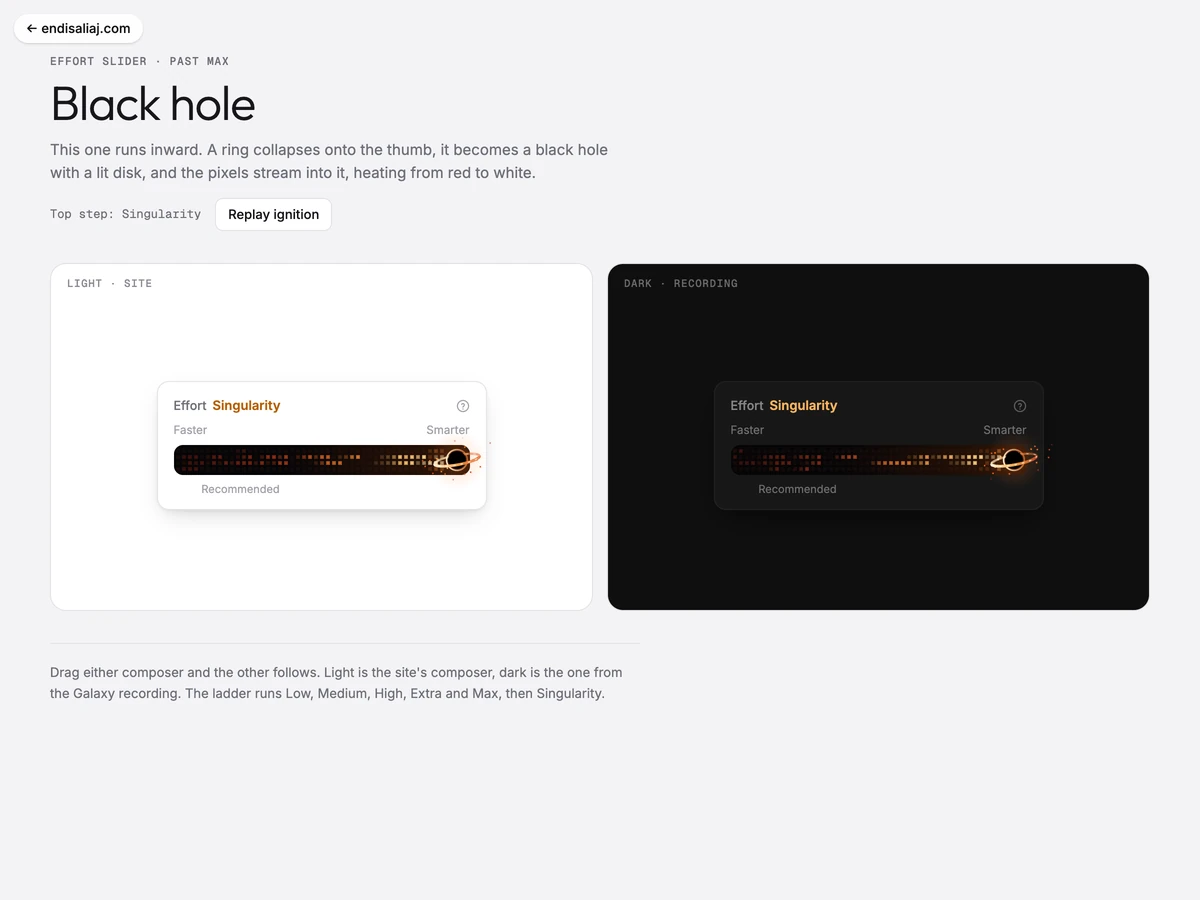
What happens when a slider goes past Max
An effort slider has five steps: Low, Medium, High, Extra, Max. I added a secret sixth step and made nine things that can happen there. Each one is below, live, with how I built it. · 13 min read