What happens when a slider goes past Max
Endi Saliaj 13 min read
An effort slider has five steps: Low, Medium, High, Extra, Max. I added a secret sixth step and made nine things that can happen there. Each one is below, live, with how I built it.
The idea
Many AI products have an effort control. You choose how hard the model should think: Low, Medium, High, Extra, Max. It is a slider in a small card, with “Faster” on one side and “Smarter” on the other.
I asked a simple question. What if Max is not the end? What if there is one more step, and you only find it by pushing?
So all nine sliders below have the same card and the same five steps. Then there is a sixth step with its own name. When you reach it, the ticks disappear, the colour fades out, the track turns dark, and something happens. I call that moment the ignition.
Two words come up a lot. The dark track is a grid of small square dots, four rows high. I call each dot a cell. And around the track there is a glow layer, where light can spill a little past the edges.
Each slider below waits at Max. When you scroll to it, it steps past Max once, so you see the ignition. After that it is yours: drag it back and push again. It also follows your light or dark mode.
Black Hole
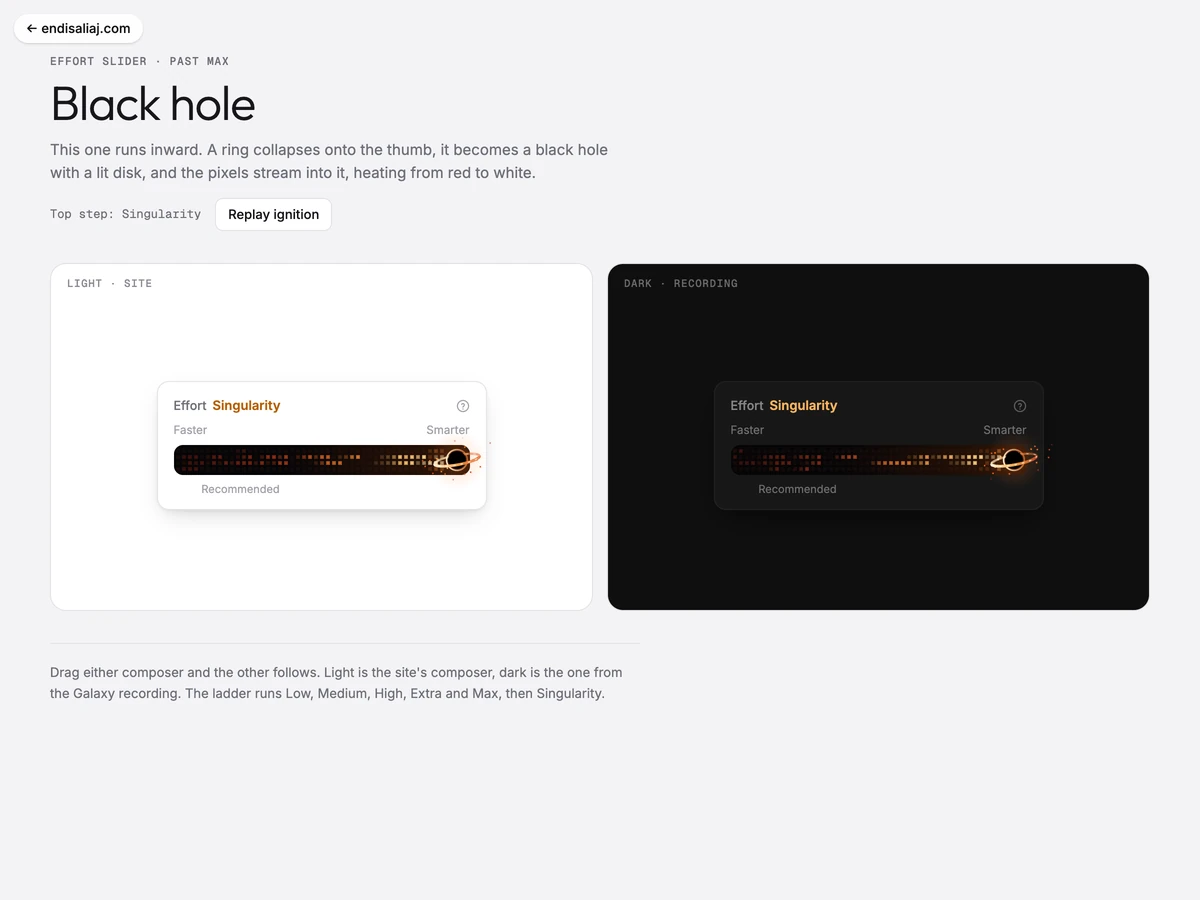
This one runs inward. The thumb is a small dark planet with an orange ring. Past Max, a wide ring closes in on the thumb in under half a second, and the thumb becomes a black hole.
How it works. Fifty invisible particles start on the left and fall toward the hole. They speed up as they get close, like real things falling into gravity. Each one heats the cell it crosses. A hot cell is red, then orange, then cream near the hole, and it cools down again when the particle has passed.
Small dots spiral in around the hole, about twelve a second. The hole itself is drawn in layers: a light ring, a black disc, and a disk of hot gas around it. The disk is drawn in two halves. The back half goes behind the black disc and the front half goes in front. That one trick is what makes it look round.
The small detail. The planet icon fades out at the top step, because the drawn hole takes its place. You never see two of them.
Aurora
The thumb is a crescent moon. Past Max, green and violet light moves across the track like the northern lights. The light starts at the moon and spreads to the left, with a bright front edge.
How it works. There are no particles here at all. Each column of cells gets its brightness from two slow sine waves multiplied together. A sine wave is a smooth up-and-down curve. When you multiply two of them that move at different speeds, the bright parts drift and change shape. To the eye, that reads as a curtain.
A third wave moves the bottom edge of the light up and down by one cell, so the lower edge ripples. Each row has its own colour. From the bottom: pale green, green, cyan, violet. The bottom row is the brightest and each row above is weaker, like a real aurora.
The small detail. This is the only version where nothing spills outside the track. The moon’s glow and the flash stay inside too. It is the quiet one of the nine.
Starfall
The thumb is a four-point star that turns once every nine seconds. Past Max, it throws seven meteors out in a fan. After that, a little more than three meteors cross the track every second. About half come from the star, and the rest fall in from above.
How it works. Each meteor makes the cells it touches fully hot. Then the cells cool down slowly, from white to pink, light blue or lavender. That is the trail. I did not draw any trail. It is only hot cells cooling down.
About one cell in eight twinkles on its own, so the track is never fully dark. On the glow layer, the star gets long thin spikes of light, like the stars in telescope photos. Small glints appear around it and fade.
The small detail. The spikes breathe. Their length goes up and down a little, four times a second, so the star feels alive even when you do nothing.
Pixel Comet
The thumb is a blue-white ball with three short lines behind it. Past Max, a real tail grows out of it, made of cells.
How it works. The tail is not a list of particles. It is a field. For every cell, the code asks three things: how far is it from the head, how far from the middle line of the tail, and what do two waves say at this spot. The waves move backward at 95 pixels a second. The answer is one number, and that number picks a colour: violet, blue, cyan or white.
So the tail is wide and white near the head, and thin and violet at the end. It seems to flow, because the waves flow. A few cells flicker brighter for a moment, like sparks. Dust comes off the head and drifts out past the edge of the track.
Twelve stars move slowly past in the background, as if the comet is flying. They hide where the tail is bright.
The small detail. The three short lines on the icon fade out at the top step. They were a drawing of a tail. Now there is a real one.
Rock Comet
The thumb is a rock with craters. Past Max, the step is called Meteor. The rock rocks back and forth in an amber glow, and a smooth red tail streams out behind it.
How it works. This is the only version with no grid of cells. The tail is three smooth shapes on top of each other: a blurred red one at the back, a salmon one, and a white core. Each shape is round at the head and thin at the end, and the end sways slowly. Three dashed lines run down the tail, so light seems to flow along it.
Dust and small bits of stone come off the rock, 46 pieces a second. They cool from white to red as they fly.
The small detail. At ignition, the six tick marks break off the track. They spin and fall away with a little gravity, as if the rock knocked them loose. The night here is slate grey, not black.
Eureka Flask
A lab flask, made for LanderLab. Past Max, it boils over: liquid pours out and runs down the track, bubbles rise, and they pop at the top.
How it works. At ignition, the liquid moves left from the flask at 380 pixels a second. A wavy surface line decides which cells are liquid and which are air. Under the line, cells are blue. Above it, they are dark.
About seven bubbles a second rise from the bottom. When a bubble reaches the surface, it pops into a small four-point spark. Rings of fizz float up from the thumb and wobble from side to side as they go.
The small detail. There is a hint before Max. As you push effort up, the liquid in the flask icon rises a little, 5 pixels from Low to Max. Most people will not see it. The ones who do will push further.
LanderLab Swarm
The thumb is the LanderLab logo on a small white tile. Past Max, a burst of tiny LanderLab marks comes out of it and drifts down the track.
How it works. I did not draw the tiny marks by hand. When the page loads, the code draws the real logo onto a very small hidden canvas, 8 by 13 pixels. Then it reads back which pixels are filled. So every mark on the track is the real logo, just very small. It is snapped to whole screen pixels, so it stays sharp.
The marks move in two rows. Each mark has a depth. The nearer ones are faster, brighter and drawn on top. They come in white, lavender and blue.
The small detail. At ignition, the first twelve marks get a push, so they shoot out fast and then slow down. After that, new ones join at an easy pace, about three a second.
Clawd Ultrathink
Clawd is the small pixel character from the Claude Code welcome screen. This one is a fan take. Clawd is the thumb. Past Max, it hops once, then walks in place.
How it works. The step name is Ultrathink, and each letter has its own colour. Each letter’s colour is 30 degrees around the colour wheel from the one before. All the colours turn together once every 3.2 seconds, so the word looks like a moving rainbow.
Seven bands of colour drift down the track toward Clawd, and they get brighter as they get closer. A bright sweep runs along the track again and again. Sparks turn around Clawd’s head. Each spark is a spinner glyph: 2, 3 or 4 lines through the centre, so it has 4, 6 or 8 points. Like a spinner in a terminal, it changes shape as it turns.
The small detail. Clawd blinks. Every 3.8 seconds the eyes squash flat for a moment. It is two lines of CSS, and it is the thing people notice first.
Clawd Swarm
The same Clawd, many times. Past Max, five small Clawds pop out of the thumb one after another. Then a new one comes out every 0.26 to 0.46 seconds and walks off down the track.
How it works. The small Clawds take turns between two lanes. Each walk is two leg frames. The frames swap every 6 pixels a Clawd moves, not on a timer. So a fast Clawd steps fast and a slow one steps slow, and their feet never slide.
Each step also heats the cell under the foot. So the floor lights up where they walk, in warm terracotta tones, and fades behind them.
The small detail. There is one drawing of Clawd: a short list of rows on a 16 by 5 grid. The same list is drawn as SVG for the thumb and on the canvas for the small ones. Change it once, and both change. The thumb also gives a small squash each time a new Clawd is born.
What all nine share
The control is a real slider. An invisible native range input, from 0 to 5, is stretched over the whole track. The mouse, the keyboard, touch and screen readers all go through the browser’s own slider. The step name is read out as the value. I wrote no touch code at all.
Two canvases draw the effect. One sits inside the track and draws the grid: cells 6 pixels apart in four rows, each with a heat value. The other canvas is 48 pixels larger on every side, so rays, blooms and sparks can run past the track’s edges and under the thumb. The rule is: the grid stays inside, only the glow may spill.
The thumb moves on a CSS transition, 0.22 seconds with a curve that lands fast. When you cross into the top step, the thumb pops: 0.55 seconds, 1.32 times bigger, and a flash of brightness. The step name blurs out and the new name blurs in, in 240 and 280 milliseconds.
Each version sets only four colours: two colours for the fill below Max, a night colour for the track past Max, and a colour for the step name. Everything else is shared. On the playground pages, each version shows two cards side by side: the light card from this site and a dark card from a product recording I used as a reference. Here you see one, in your mode.
With reduced motion, there is no pop and no loop. Each slider starts past Max and draws one still frame, as it looks a moment after the ignition.
The specimen sheet shows the family together, with three sketches that never got their own page: a plain comet, a falling star called Wish, and a supernova.
Design decisions
- The sixth step is a reward, not a feature. Nothing changes in what the control does. It is a thing you find by pushing. That is why the ticks hide: the ladder is over.
- Everything follows one value. The fill, the label, the night and the canvas all read the slider’s one number, so they can never disagree.
- Inside, with a little spill. Heat lives in the cells and never leaves the track. Light may spill a little, under the thumb. Aurora is the exception and spills nothing.
- Each version gets its own night. Black for the hole, deep blue for the comet, slate for the rock, navy for the flask, warm brown-black for Clawd.
- A note for shipping. The live LanderLab composer runs from Minimal to Max, so a sixth level, or a renamed top step, is needed before any of this goes into the product.
What I learned
The first version is the base, not the effect. Once the card, the native input, the two canvases and the ignition were right, each new version was a weekend of drawing, not a week of plumbing. And the best moment is still the smallest one: the ticks disappearing. It tells you that you have left the map.
The projects
 ▶ Playable
 Black Hole an effort slider past Max
Motion study 2026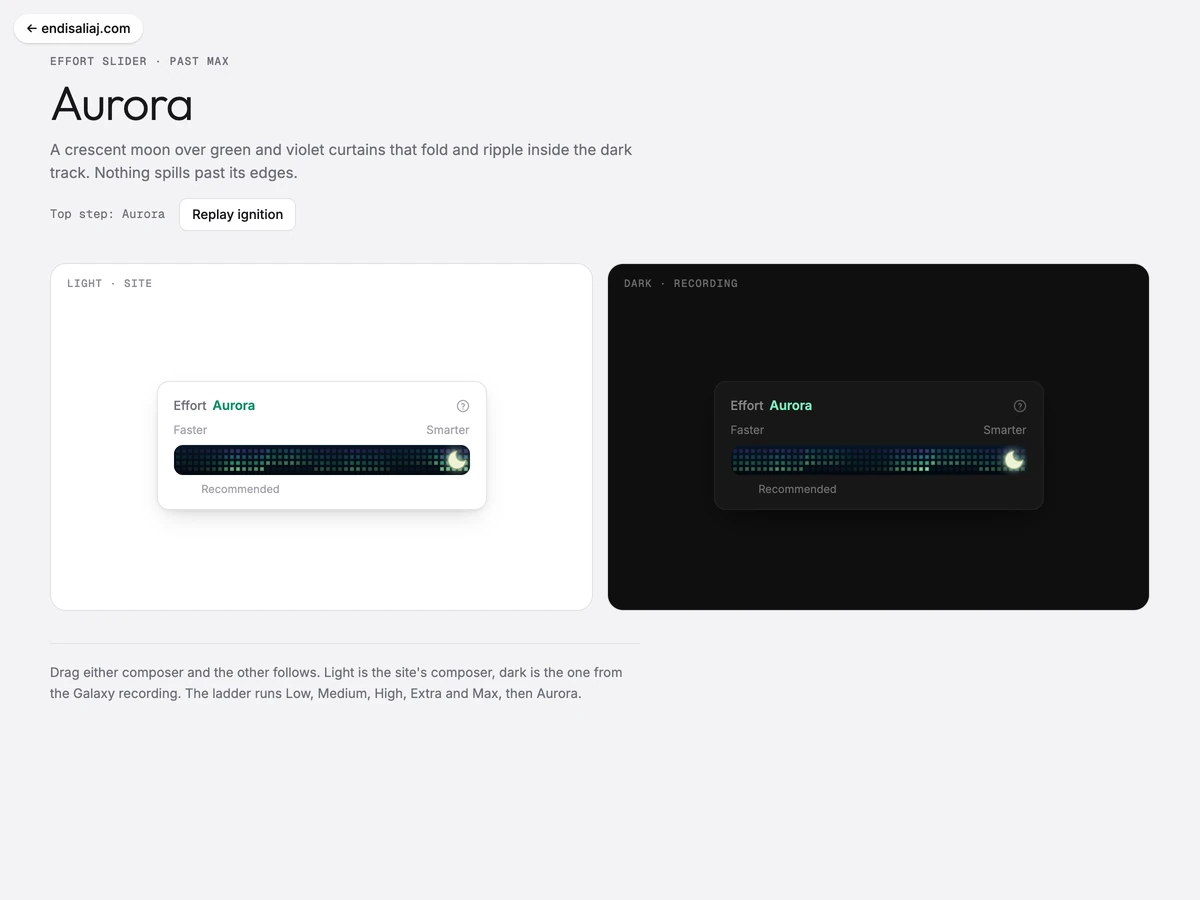 ▶ Playable
 Aurora an effort slider past Max
Motion study 2026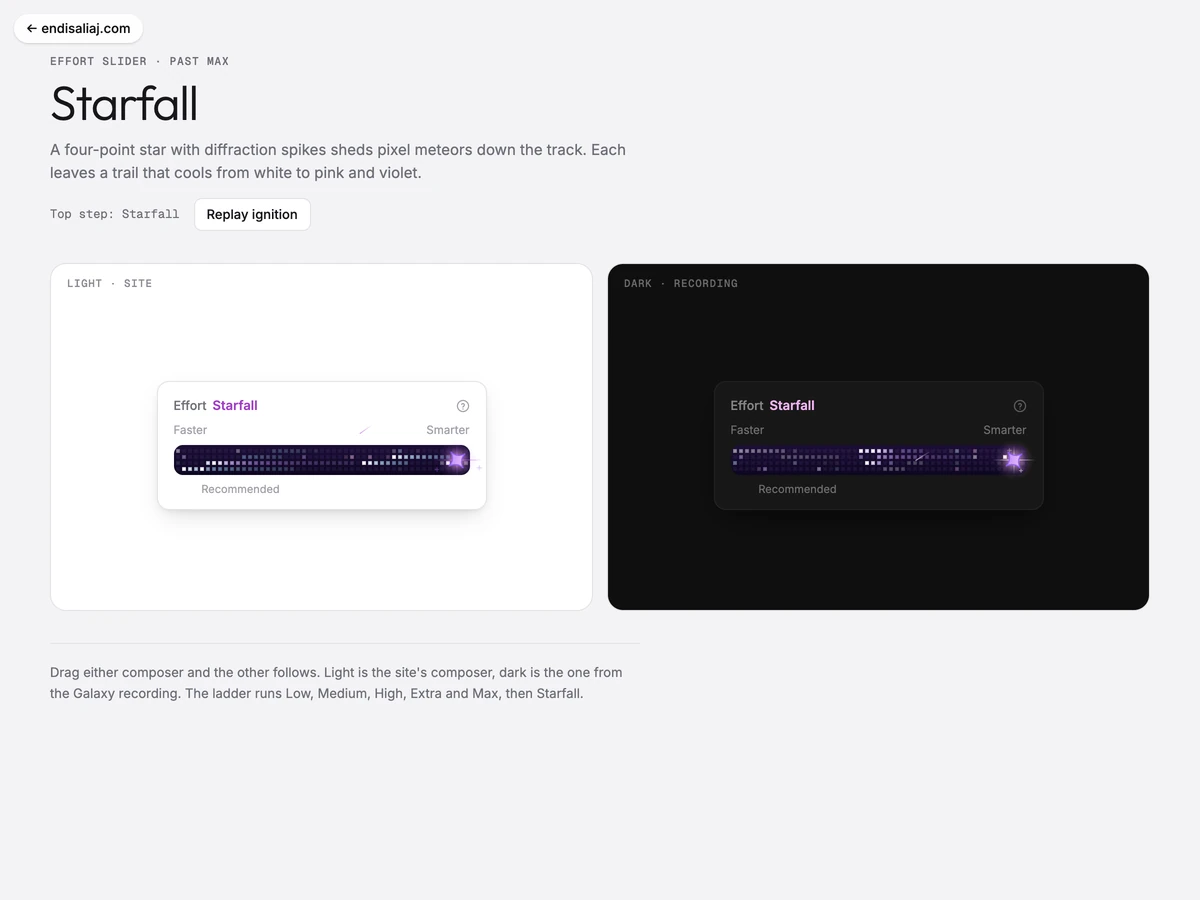 ▶ Playable
 Starfall an effort slider past Max
Motion study 2026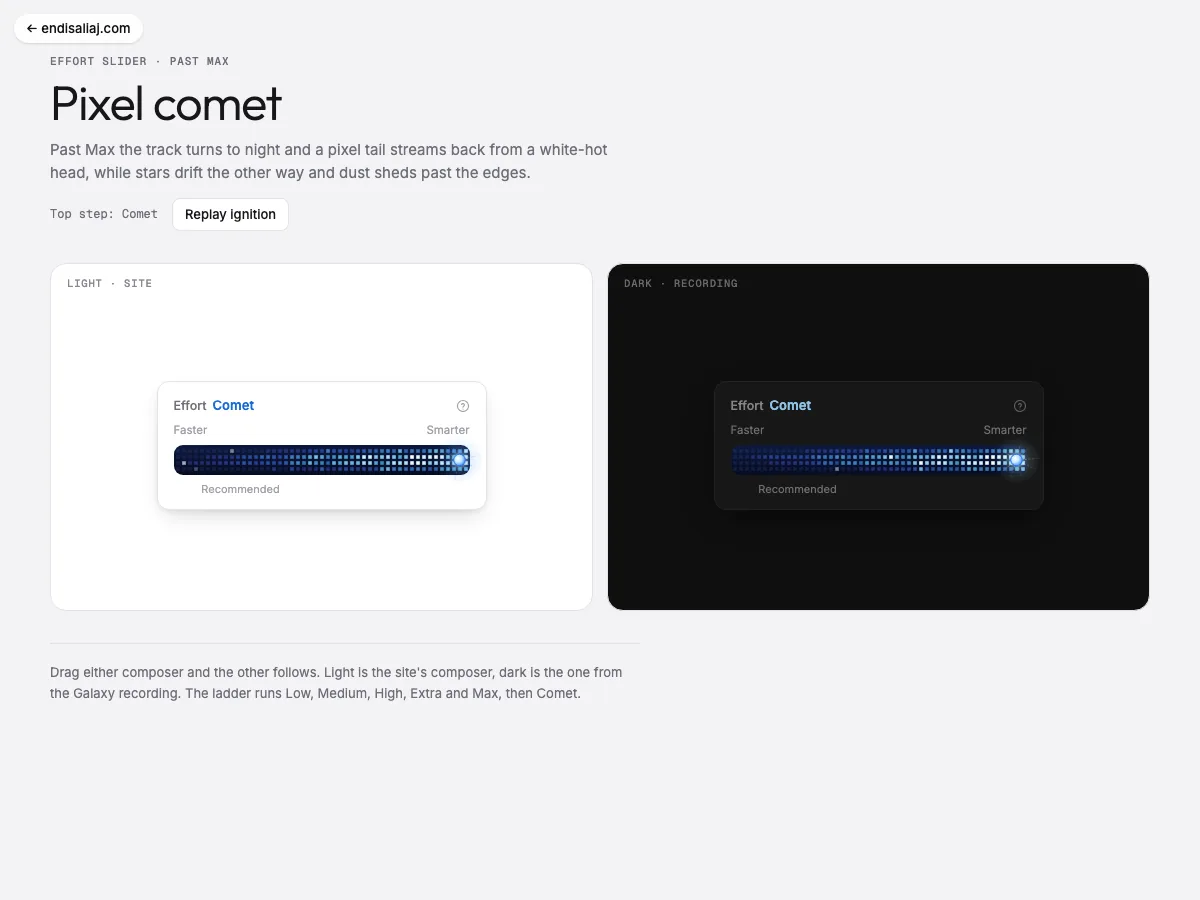 ▶ Playable
 Pixel Comet an effort slider past Max
Motion study 2026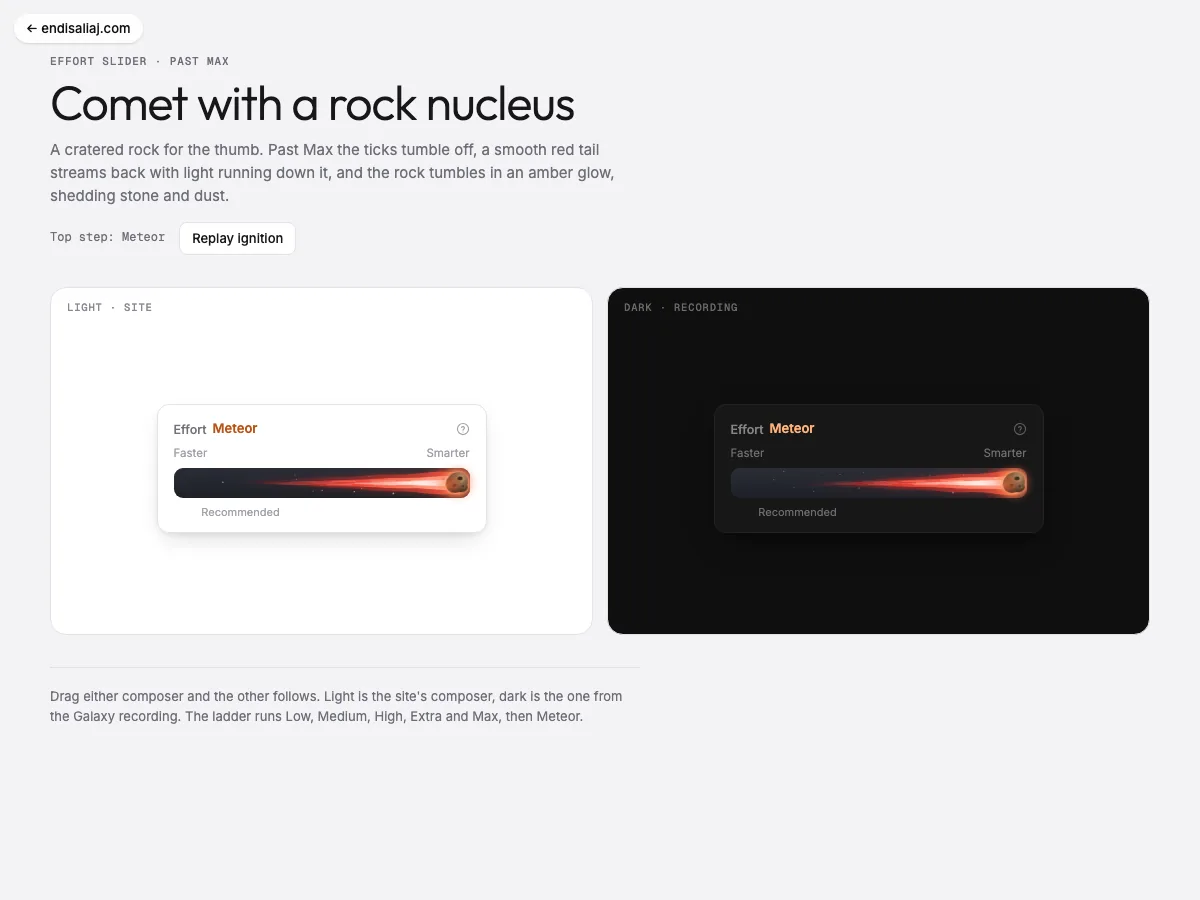 ▶ Playable
 Rock Comet an effort slider past Max
Motion study 2026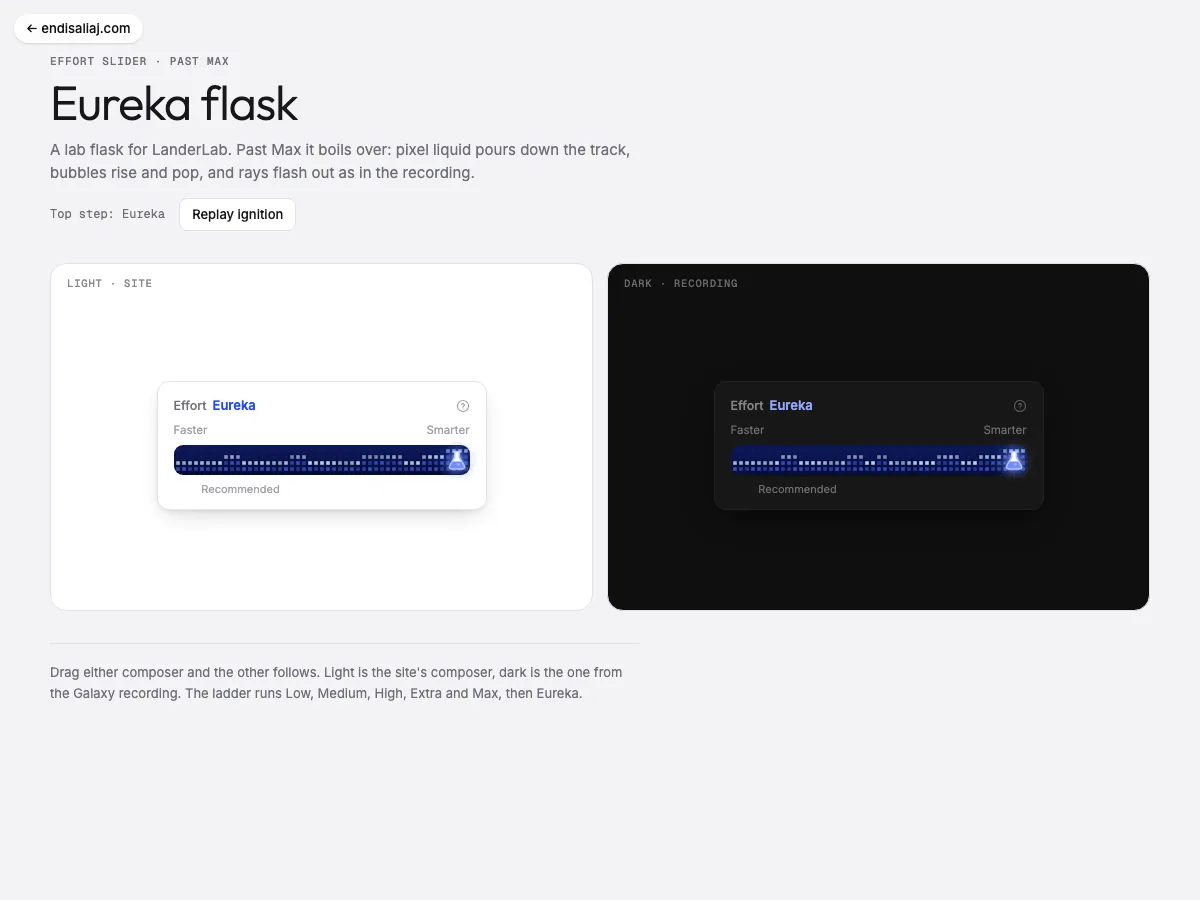 ▶ Playable
 Eureka Flask an effort slider past Max
Motion study 2026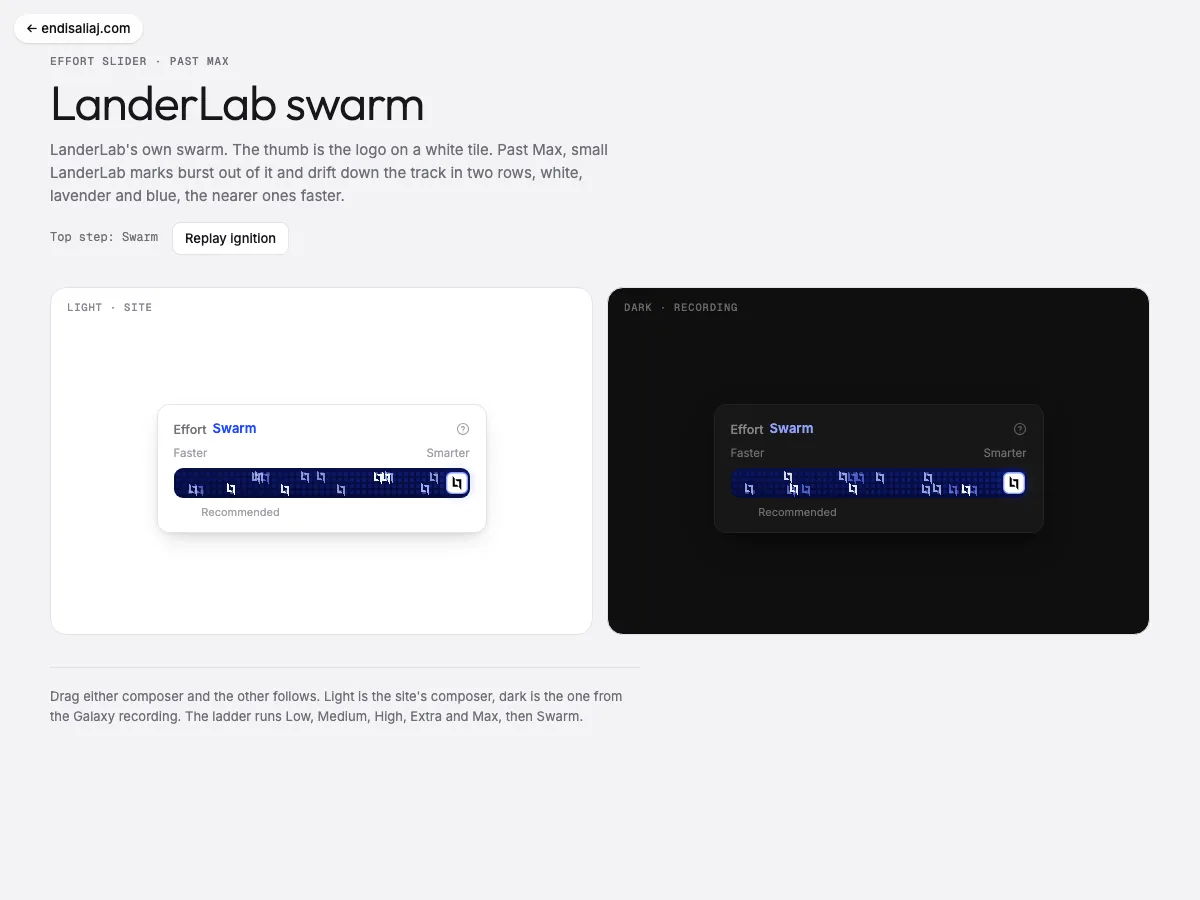 ▶ Playable
 LanderLab Swarm an effort slider past Max
Motion study 2026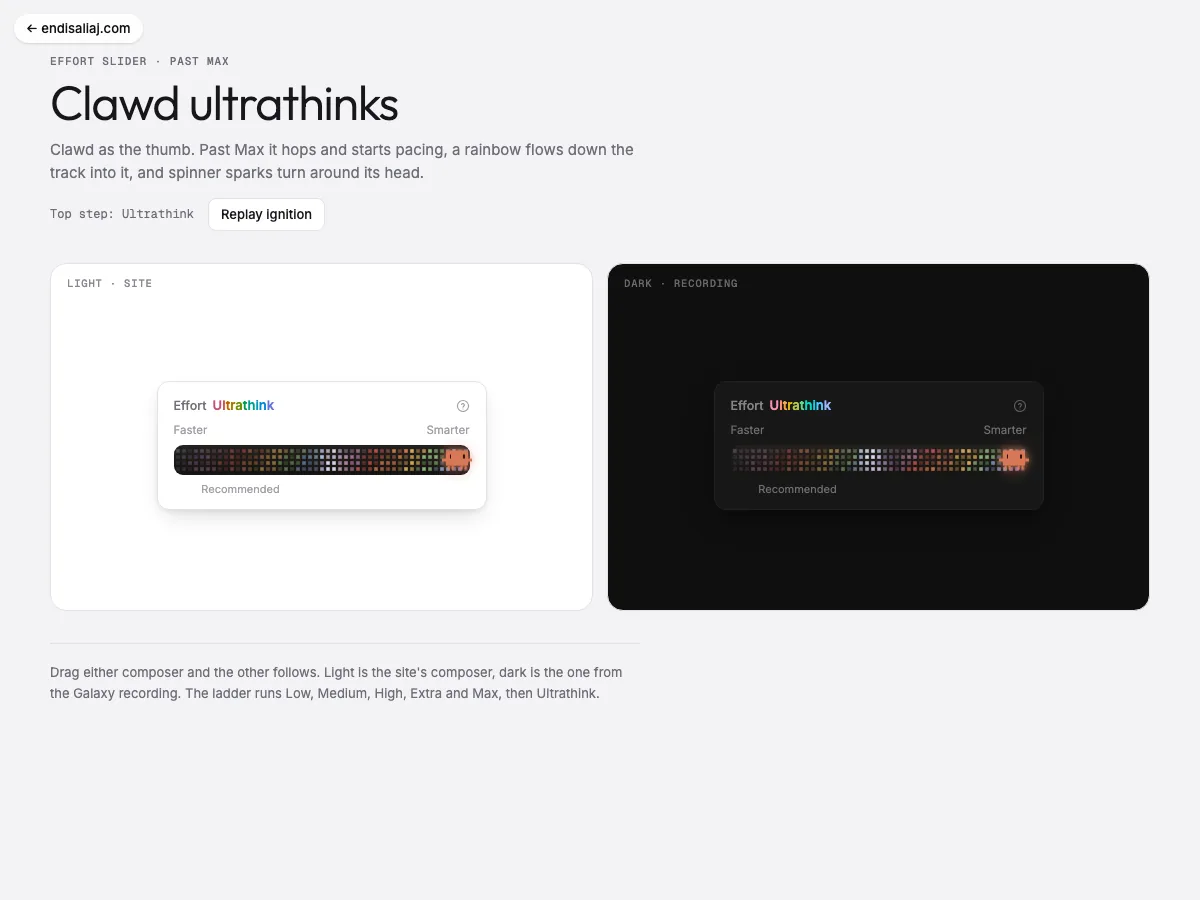 ▶ Playable
 Clawd Ultrathink an effort slider past Max
Motion study 2026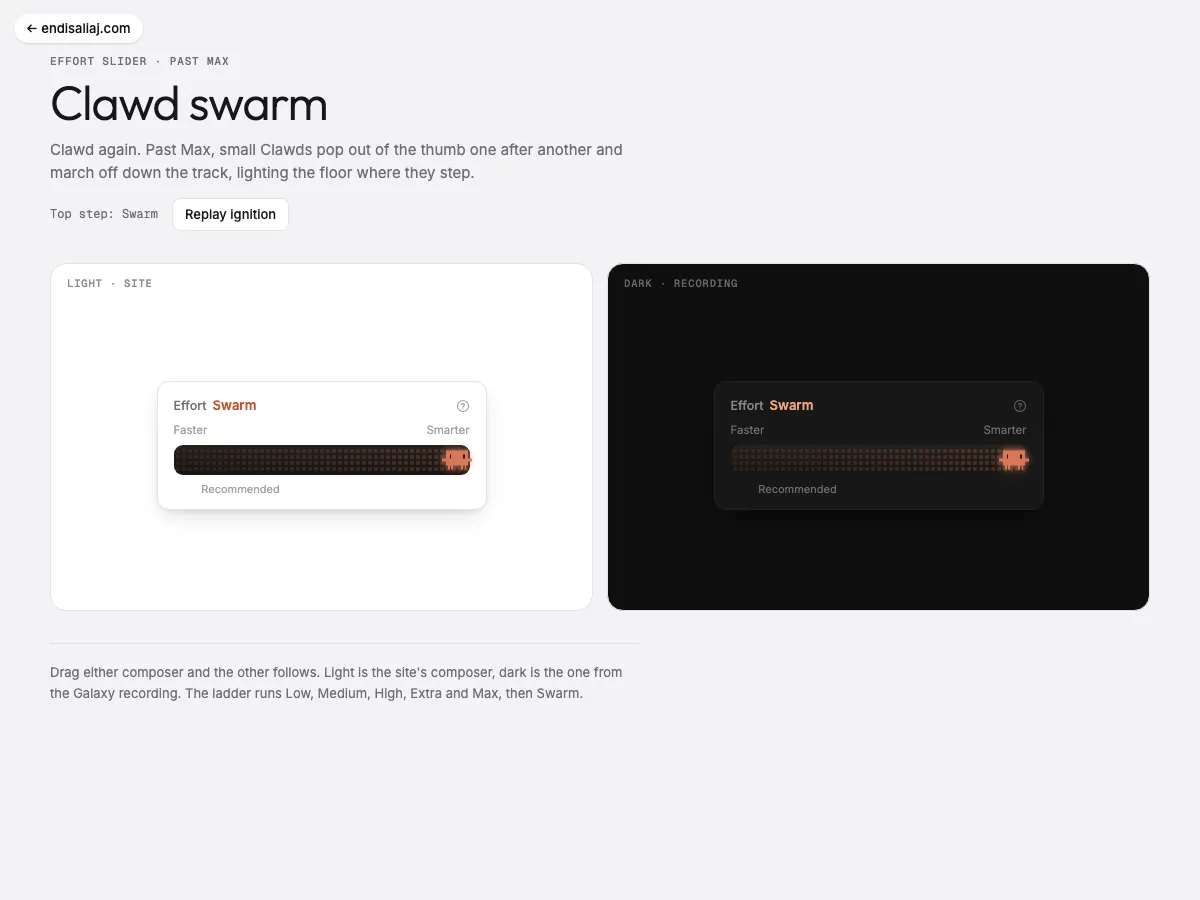 ▶ Playable
 Clawd Swarm an effort slider past Max
Motion study 2026More notes

An isometric street where the road loops
How I built Donut Patrol, a small isometric city block in SVG: a bank, a donut shop and a police precinct on a street that wraps around. Rob the bank and two officers drop their donuts to chase you. · 4 min read